Day, week, and month views
Use the time horizon that fits the decision in front of you.
 Tutor Planner
View on App Store
Tutor Planner
View on App Store
Lesson planner for independent tutors
Tutor Planner connects day, week, and month planning with the student, package, lesson notes, homework, and next steps that make each class actionable.
View on App Store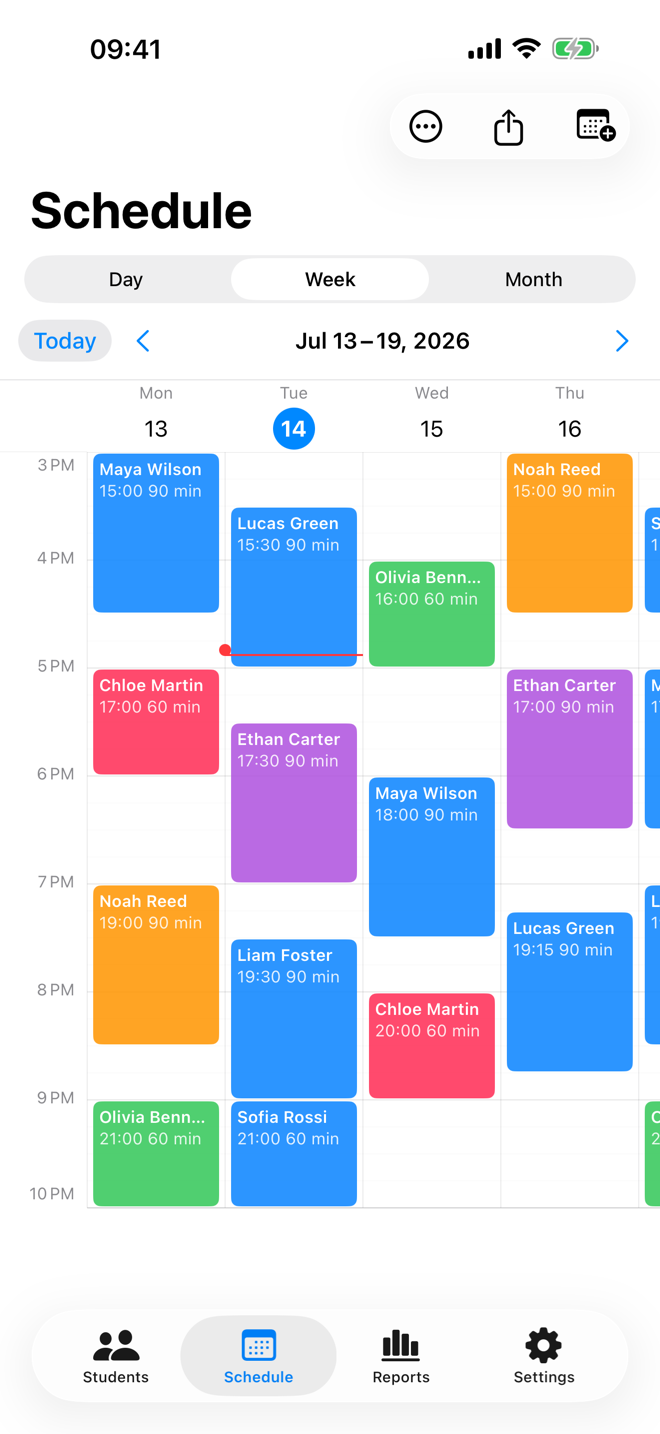
A direct answer
A useful lesson planner keeps the time on a calendar connected to the student and the work that follows class. Tutor Planner combines scheduled lessons, recurring series, lesson records, packages, and next-step notes in one workspace.
A connected tutoring workflow
Set up day, week, or month views, add one-time or recurring lessons, then open a class with its student context already attached. After class, turn the same plan into a useful record instead of rebuilding it in notes and spreadsheets.
Use the time horizon that fits the decision in front of you.
Keep regular teaching patterns visible while handling exceptions.
Open a lesson with the relevant student, package, and history nearby.
Record homework, next steps, and class details while they are still fresh.
Questions tutors ask
Yes. Tutor Planner supports recurring lessons, and you can also manage one-off classes around the same schedule.
Yes. A scheduled lesson can be created for one class or as part of a recurring teaching pattern.
Yes. Lessons are tied to the relevant student so planning, records, packages, and follow-up are not separated.
Pro includes exports of the current schedule view as an image or PDF.