Cash income
Review the income recorded from your tutoring work.
 Tutor Planner
View on App Store
Tutor Planner
View on App Store
Tutor business reports
Tutor Planner turns the records behind lessons and payments into a view of cash income, pending amounts, teaching activity, and student contribution for independent tutoring work.
View on App Store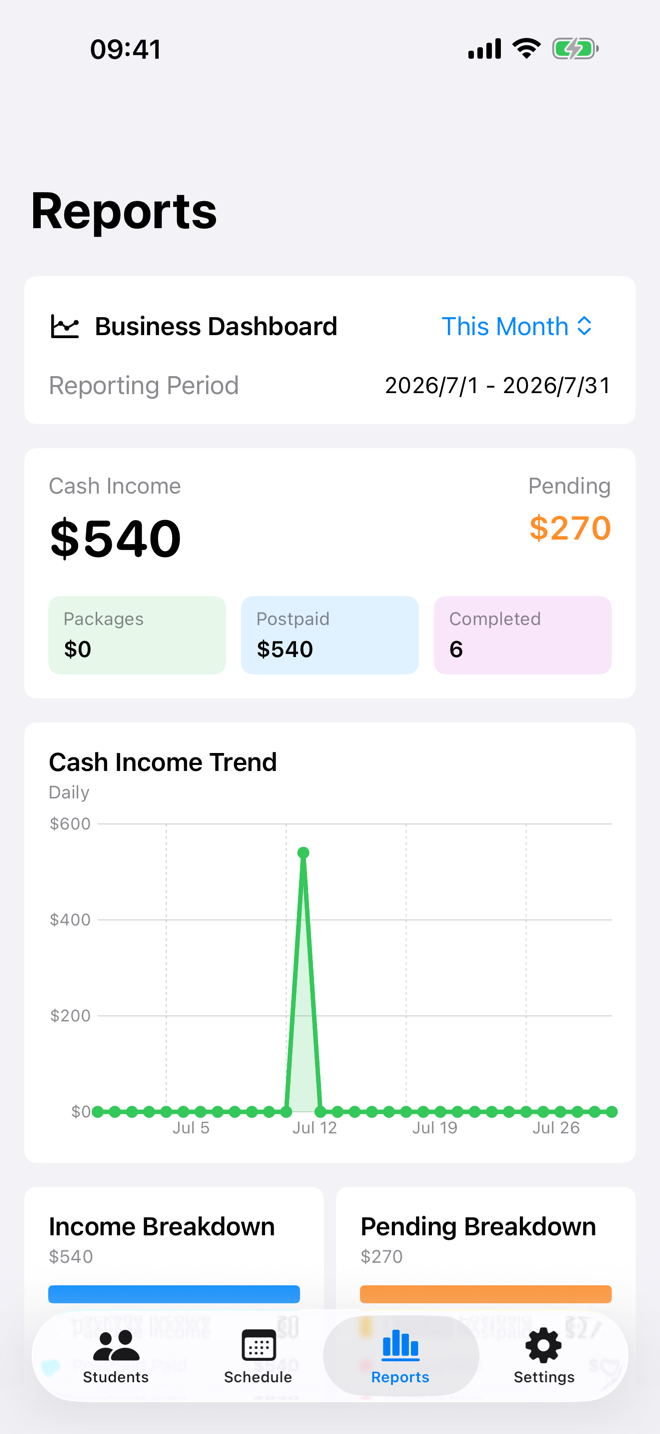
A direct answer
A tutor business report should make the administrative side of teaching legible without turning it into accounting software. Tutor Planner brings together cash income, pending payments, completed lessons, teaching time, and student contribution from the records already used to run classes.
A connected tutoring workflow
Keep packages, postpaid classes, bills, and lesson records up to date as you teach. When it is time to review the month, the report can show the work and payment context already captured in the app.
Review the income recorded from your tutoring work.
See outstanding amounts alongside the student and class records behind them.
Use completed lessons and teaching time to understand how the month was spent.
Review the role each active student plays in your tutoring business.
Questions tutors ask
Yes. Full business reports are included with Pro.
Reports can show cash income, pending payments, completed lessons, teaching time, and student contribution.
No. Tutor Planner is a productivity and record-management tool, not legal, tax, accounting, or financial advice.
Yes. The reports use the connected records for both prepaid packages and postpaid classes.